How to organise your services so clients can book without asking
When the client opens your menu and can't tell what each service is, what it costs or how long it takes, booking turns into a WhatsApp conversation. Here is how to organise names, durations, prices and categories so your diary runs on its own.
Create a free accountA huge menu nobody can make sense of
The salon does facials, nails, brows, waxing and make-up. The menu has dozens of treatments all mixed together, and the client scrolls without finding the one she wanted, until she gives up and sends a message.
Waxing changes price with the area treated, and some facials with the protocol used. If the price looks fixed, the client gets a shock at the end. If it isn't shown, she asks first. Either way, someone on the team stops what they are doing to explain.
With treatments split into categories, real durations and a range or "from" price when it varies, the client finds what she wants, understands the price and books without calling anyone.
How to organise your service menu (with or without software)
A good service menu saves messages, keeps the diary on time and helps you sell more. It applies to the price list on the wall, the menu on Instagram and any booking system.
Use names your clients understand
Write the way people talk, not the way the team refers to things internally. If a name needs explaining, it isn't right yet. Avoid two services with almost the same name.
Set the real duration
Duration decides how much of the diary each service takes. Time a few appointments and use the real figure, including clean-up. Optimistic durations become knock-on delays.
Pick the right kind of price
A fixed price for what always costs the same, a range for what varies within limits, and "from" for what depends on an assessment. A clear price avoids surprises at the till.
Group services into categories
A few categories with simple names help the client find what they want without scrolling a never-ending list. Put each service in one place only.
Review it every so often
A service nobody has booked in months just clutters the menu. Switch off what you no longer offer, adjust prices and durations, and check the menu still reflects what you do today.
How it works in BellaHub
In BellaHub, you set up your services once and they appear neatly organised on your booking page. Every change takes effect straight away.
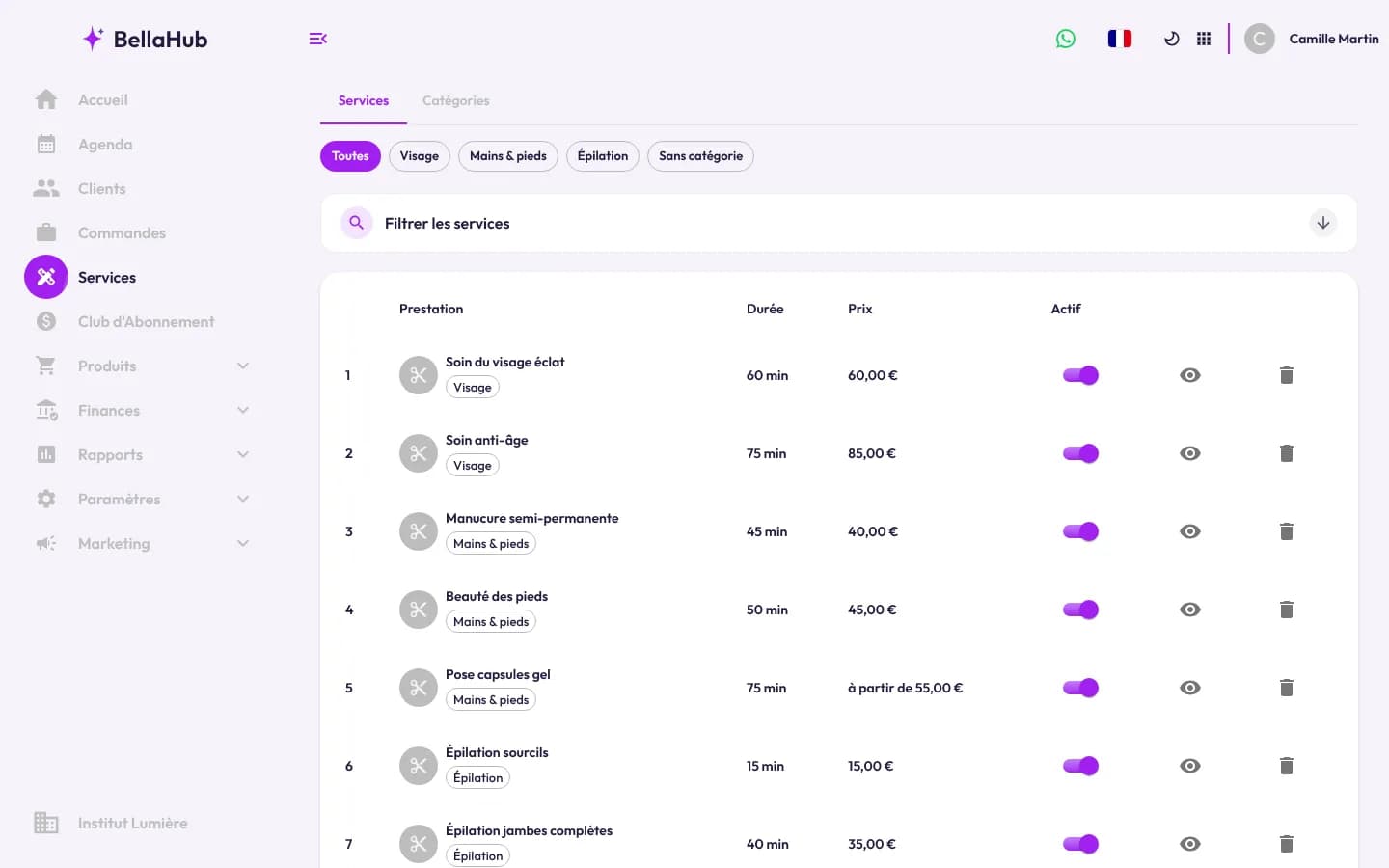
All your services, by category
The list shows your services grouped by category. You can create, rename and switch categories on or off, and the system can suggest categories to get you started faster.
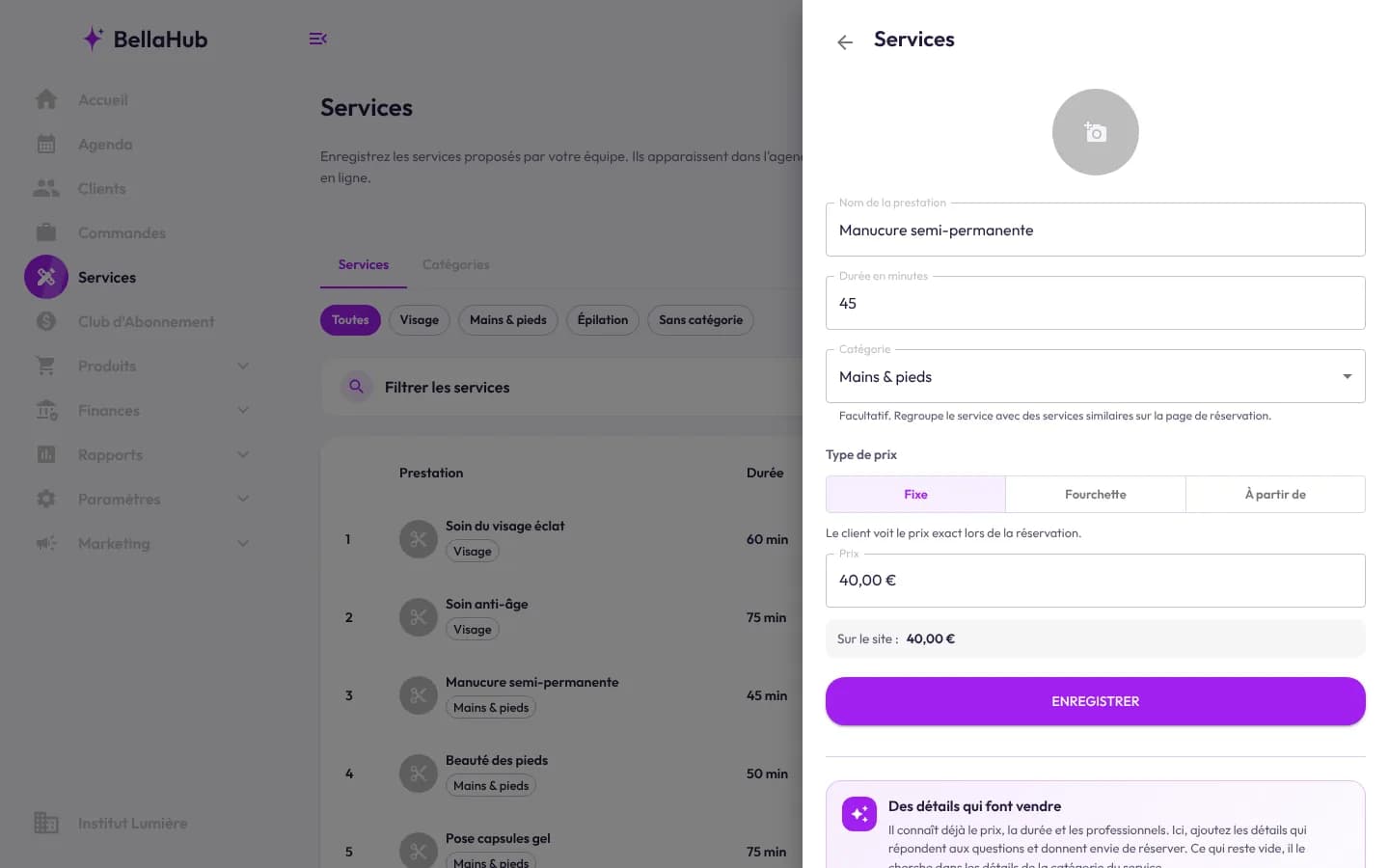
Name, duration and price type
In the service form, you fill in the name, the duration in minutes and the price: fixed, a range between two amounts, or "from". An active/inactive switch takes the service off the booking page without deleting it.
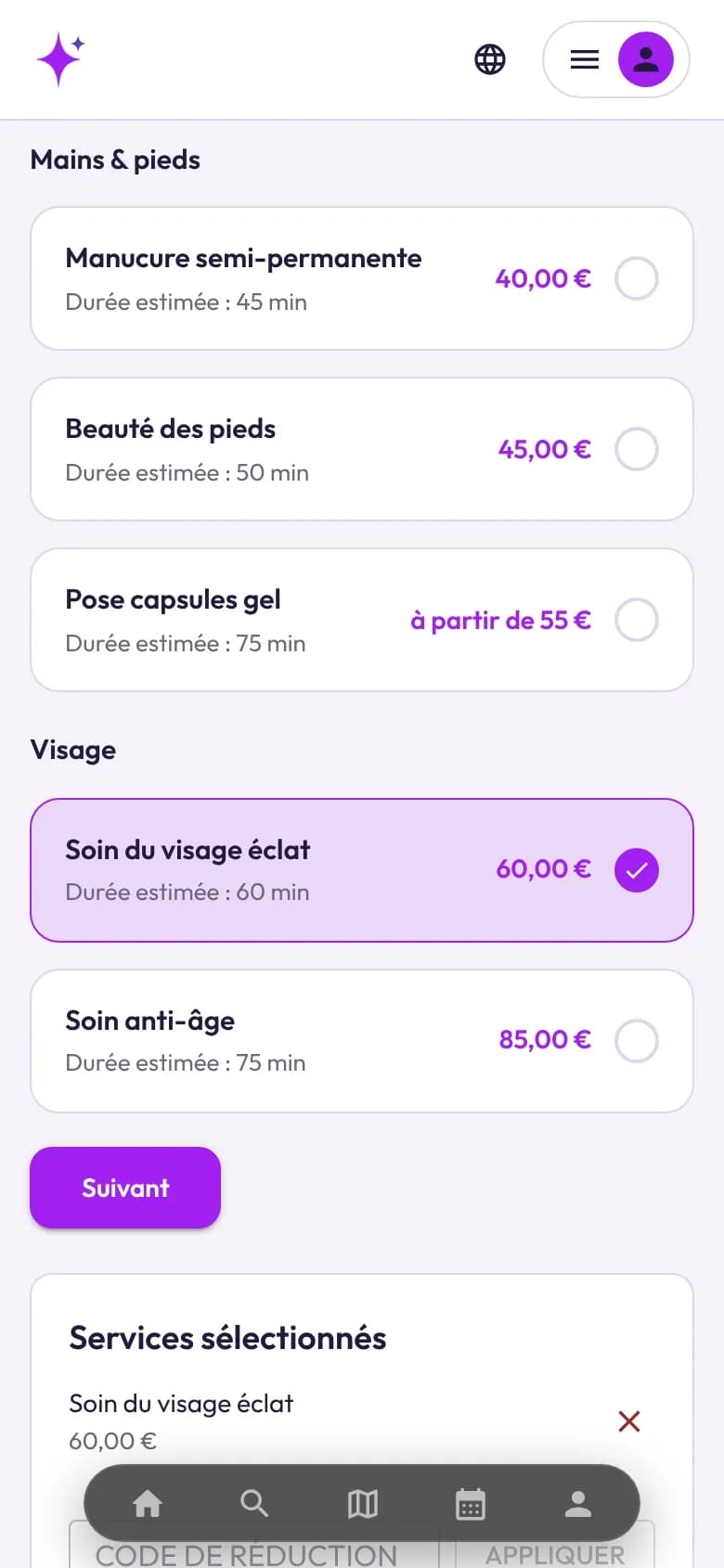
The client sees everything organised
On the booking page, services are grouped by category, with duration and price. The client picks what they want without having to ask anything.
Frequently asked questions
Waxing is priced by area. What do I do?
Use the "from" option or a price range. The client sees the ballpark before booking, and the final price is confirmed at the salon.
Do clients see the categories?
Yes. The booking page groups treatments by the categories you created, such as face, nails and brows. A category that is switched off doesn't show.
Where do I set who does each service?
On each beautician's profile, not in the service form. You tick the services that person does; if none are ticked, they are available for every service.
When do changes show on the booking page?
Straight away. Change a price, duration, name or category and the booking page already shows the new version.
Can I take a service off the page without deleting it?
Yes. Every service has an active/inactive switch. Switched off, it disappears from the page, and you can switch it back on whenever you like.
What if the price varies from one client to another?
Use a price range or the "from" option. That way, people know the ballpark before they arrive.
See also
Stop booking appointments over WhatsApp one by one
Your own booking page where the client picks the service, the beautician and a free time, 24 hours a day.
How to work out staff commission without losing an afternoon to sums
Each beautician's commission is worked out on every closed order, and you pay one person or everyone in one go.
Let your service menu do the work for you
Create your account, add your services with duration and price, and put your booking page online.
Create a free account