Find out what's really left at the end of the month
A full diary doesn't guarantee money left over. Without tracking what comes in and goes out, every month ends with a surprise. Here is how to organise bills, money owed to you and cash flow without becoming an accountant.
Create a free accountA busy salon and a tight bank balance
The diary is full and the team never stops, yet the end of the month still feels tight. You know plenty came in, but you can't say how much went out or on what.
At a salon, restocking never ends: colour, polish, disposables, treatment products. Much of it is bought in instalments, and the instalment from three months ago keeps going out without you remembering it.
With purchases entered with all their instalments and every order turning into a receivable, the month stops being a surprise. You see the margin and know whether you can invest in a new chair or should hold back.
How to get your finances in order (with or without software)
Spreadsheet, notebook or software: what keeps the cash of the salon under control is writing everything down, always in the same place, and looking at the numbers often.
Keep personal and business money apart
Mixing your own account with the business account is the fastest way to lose track. Decide how much you pay yourself each month and treat it as a fixed cost.
List every fixed bill
Rent, electricity, internet, software, accountant, restocking. Write down the amount and due date of each one. A bill that repeats every month should be entered once as recurring, so it is never forgotten.
Record every payment the same day
Each service you charge for is money in. If someone will pay later, record it as money to collect, with a date. Whatever lives only in your head disappears by the end of the month.
Enter instalments and cheques up front
A purchase paid in instalments weighs on several months. Enter all the instalments at once, with their dates, and do the same with cheques you receive, noting when they will be deposited, so you know when the money really arrives.
Close the month with three numbers
What came in, what went out and what's left. Compare with last month. If less is left, you find out where the money went while there is still time to adjust.
How it works in BellaHub
In BellaHub, your finances are linked to the diary. Every order you close becomes money to collect automatically, and you only need to enter your expenses.
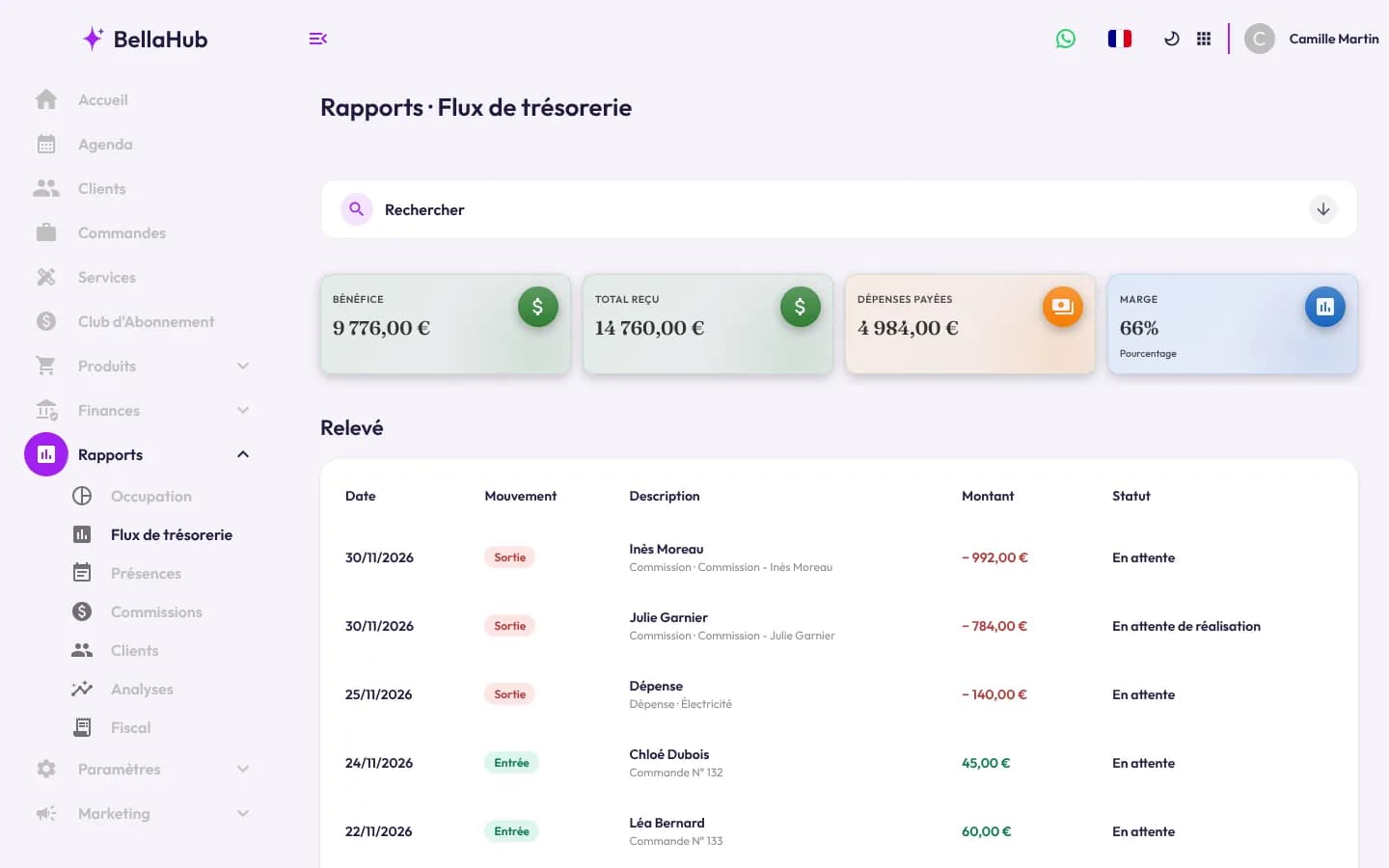
Open it and see what's left
The cash-flow report shows what came in, what went out, the profit and the margin for the period you pick. Underneath, the statement lists every movement, one by one.
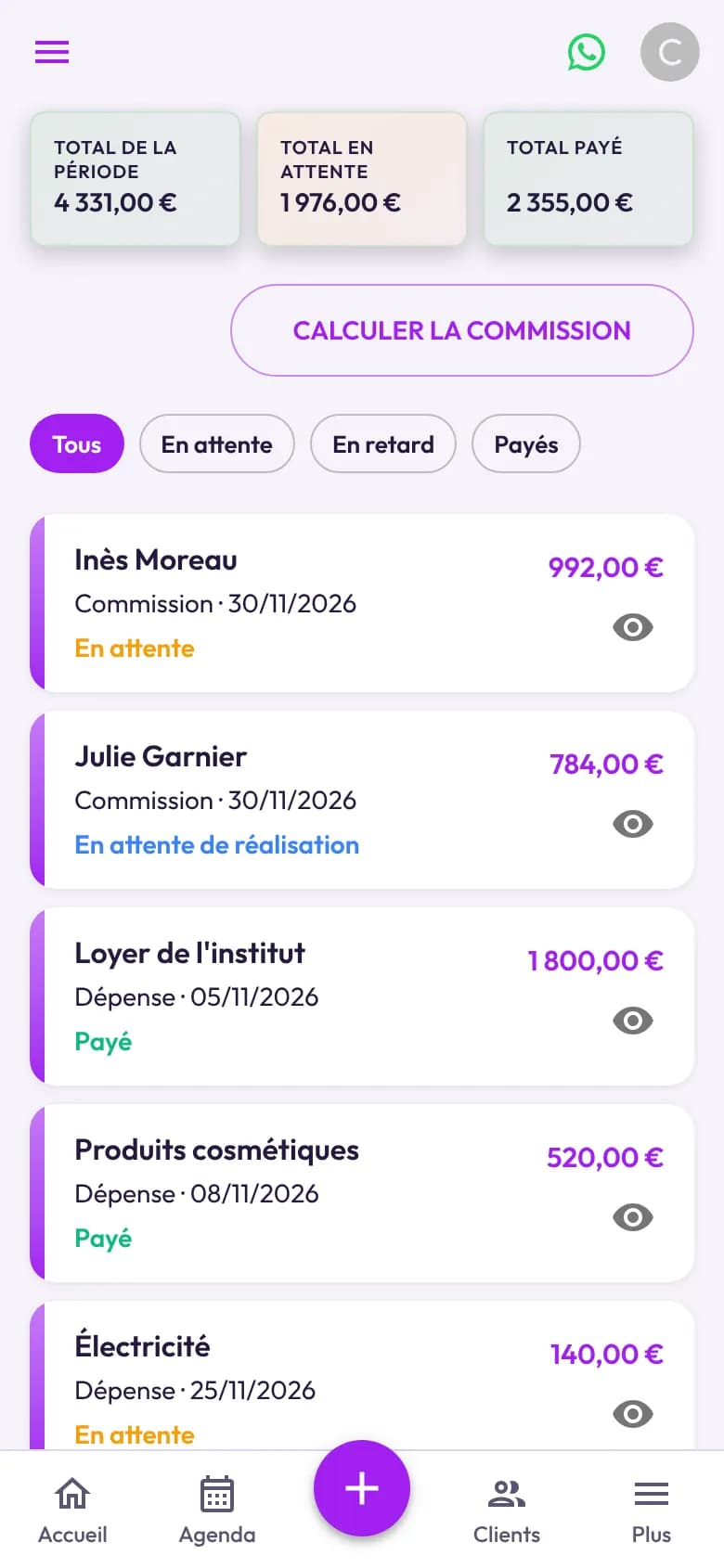
Bills to pay in your pocket
Add a one-off bill, a recurring one such as rent, or a purchase in instalments with every instalment at once. Commissions owed to your beauticians also show up here, alongside everything else that needs paying.
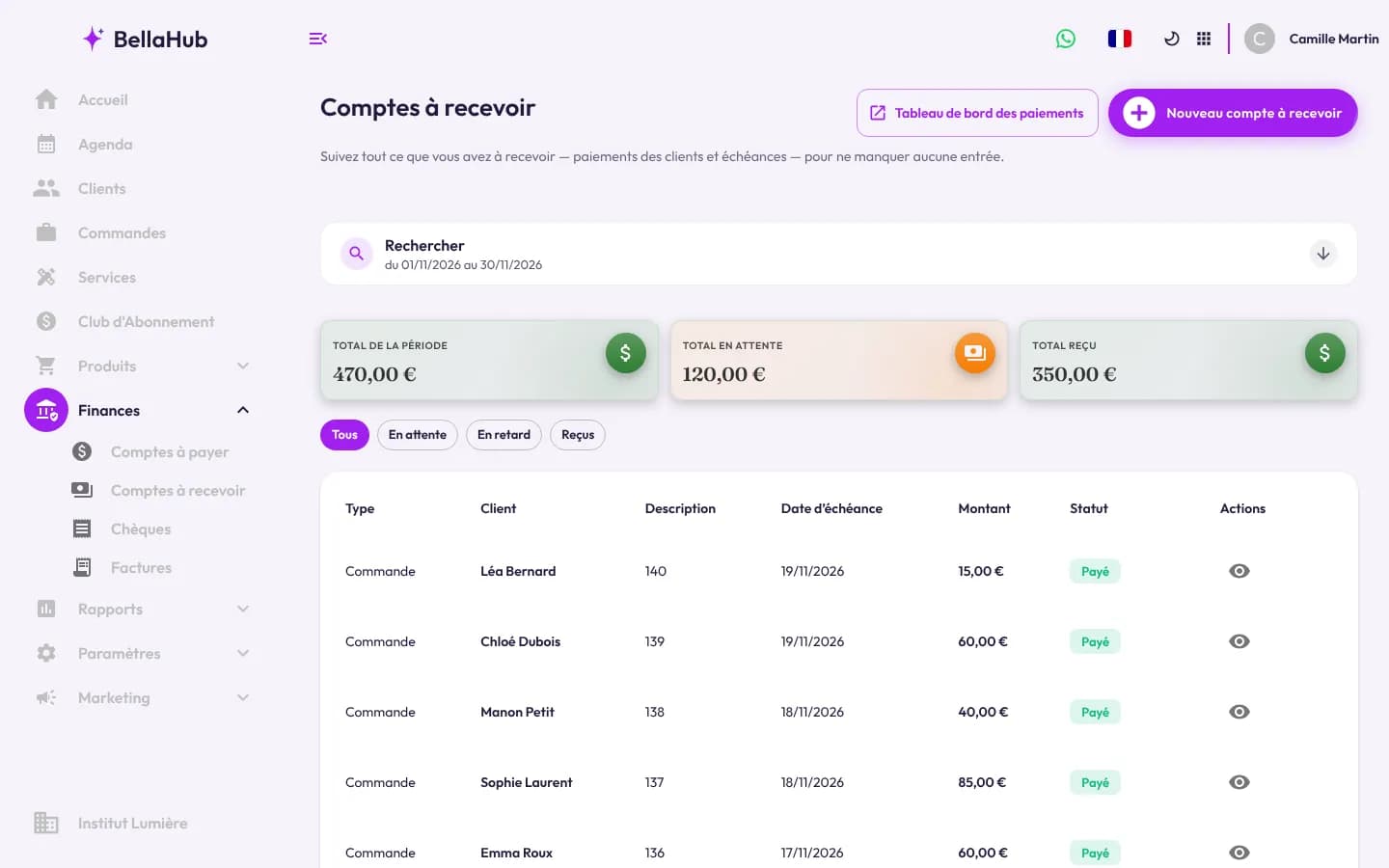
Money to collect without typing
Each order creates its own receivable automatically. You see what has been received and what is still open, and cheques you receive are recorded in the same place.
Frequently asked questions
Can I enter a product order paid in instalments?
Yes. When you create the bill to pay, choose instalments and enter how many. Each one appears on its own date in bills to pay.
Do staff commissions show up in the finances?
Yes. Commissions to pay sit in bills to pay with your other expenses and count towards what's left at the end of the month.
Do I need to enter every appointment in the finances?
No. When an order is closed, the receivable is created automatically. What you enter by hand are expenses such as rent, bills and purchases.
Can I enter a purchase paid in instalments?
Yes. When you create a bill to pay, you choose whether it is one-off, recurring or in instalments, and the instalments are added with their own dates.
Does it handle cheques?
Yes. Cheques you receive are recorded with their expected deposit date, and you can follow whether each one has been deposited and cleared.
See also
Stop ending the month with a surprise
Create your account and see, in a single report, what came in, what went out and what's left for you.
Create a free account